
AI Restaurant Bookkeeping: 7 Essential Tools (2026)
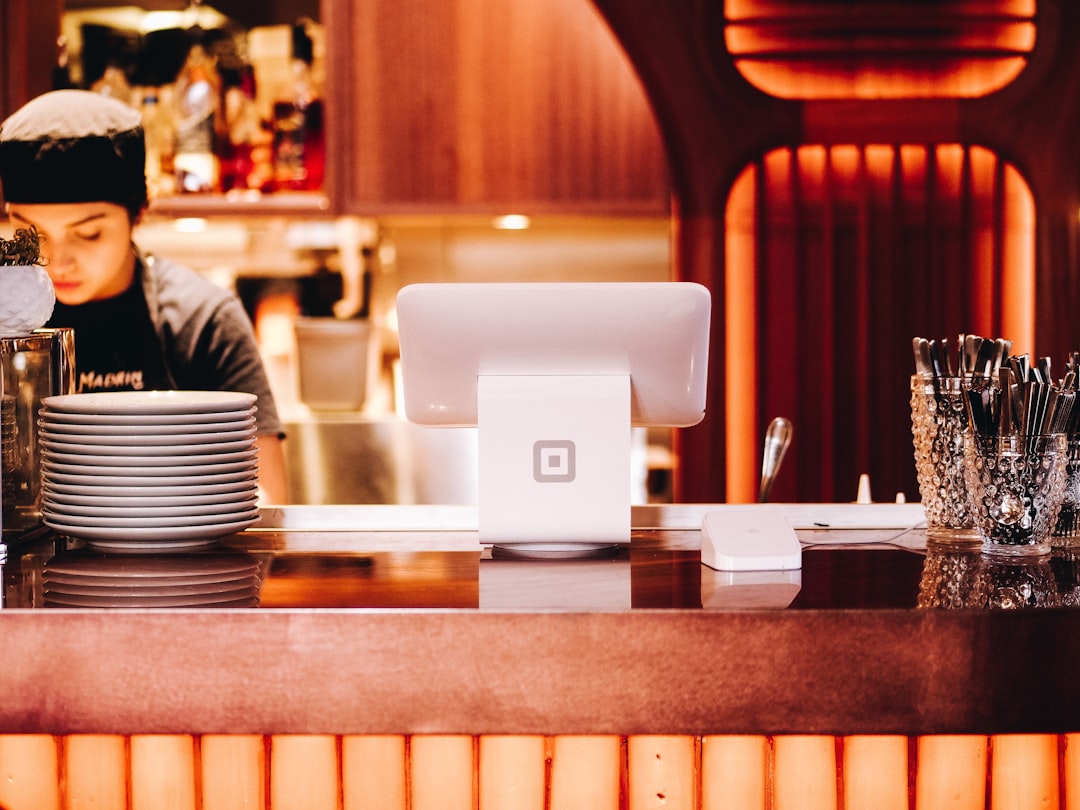
Photo by Patrick Tomasso on Unsplash
We don’t quote prices for third-party products: list prices change often and we can’t verify them for you. Check the vendor’s or retailer’s own current listing.
Introduction to AI Restaurant Bookkeeping
Automated bookkeeping is a must for restaurants. It saves time and saves money. AI bookkeeping, in particular, uses machine learning algorithms to categorize transactions, generate financial reports, and even predict future sales.
The current state of restaurant accounting is — quite frankly — a mess. Many restaurants still rely on manual bookkeeping methods, such as spreadsheets and paper receipts, which can lead to errors and lost documents. AI bookkeeping can help restaurants streamline their financial management, reduce errors, and make data-driven decisions to improve their bottom line.
Ever wondered why some restaurants seem to always be busy, while others struggle to stay afloat? It often comes down to effective financial management — and AI bookkeeping can be a key factor in achieving that. With AI bookkeeping, restaurants can automate tasks such as data entry, invoicing, and expense tracking, freeing up more time to focus on what really matters: serving great food and making customers happy.
Key Takeaways
Here are the key takeaways from this post:
- AI restaurant bookkeeping removes most of the manual entry behind food-cost, tips and payroll tracking
- Automated bookkeeping systems can help restaurants streamline their financial management and reduce errors
- AI bookkeeping uses machine learning algorithms to categorize transactions, generate financial reports, and predict future sales
- Restaurants can use AI bookkeeping tools to automate tasks such as data entry, invoicing, and expense tracking
Why Restaurant Bookkeeping Is Especially Hard
Restaurant bookkeeping is a unique beast. The high volume of transactions — we’re talking hundreds of orders per day — makes it a challenge to keep track of every single sale, expense, and tax deduction.
The complexity of menu pricing and inventory management adds another layer of complexity. Restaurants need to track the cost of ingredients, labor, and overhead for each dish, and adjust prices accordingly. And let’s not forget about inventory management — tracking stock levels, managing suppliers, and optimizing inventory turnover. It’s a delicate balancing act. For example, a restaurant using a system like Toast can streamline their inventory management and reduce waste.
The need for real-time reporting is also crucial in the restaurant industry. Owners and managers need to be able to access up-to-the-minute sales data, labor costs, and inventory levels to make informed decisions about their business. With AI-powered bookkeeping tools, restaurants can get real-time insights into their financial performance and make data-driven decisions to drive growth and profitability. QuickBooks gives you reporting and analytics current enough to act on in the same week, which is what a restaurant needs.
Your AI Bookkeeping Stack for 2026
To streamline your restaurant’s finances, you need the right tools. Accounting software is the foundation. I recommend QuickBooks — it’s robust, scalable, and integrates well with other tools. Next, you’ll need invoice and expense tracking. Zoho Books is a great option, with automated invoicing and expense reporting.
Inventory management is also crucial. TradeGecko offers a powerful platform for tracking inventory levels, orders, and suppliers. But what about reporting and analytics? Xero provides detailed financial reports and insights, helping you make informed decisions. Ever wondered why restaurants struggle with cash flow? It’s often due to poor inventory management and inefficient invoicing. With the right tools, you can avoid these pitfalls.
Here are some essential tools to consider:
- Accounting software: QuickBooks
- Invoice and expense tracking: Zoho Books
- Inventory management: TradeGecko
- Reporting and analytics: Xero
Core Stack: Essential Tools for AI Restaurant Bookkeeping
For AI restaurant bookkeeping, having the right tools is crucial. You can’t just use any old accounting software and expect it to keep up with the unique demands of a restaurant. That’s why I always recommend starting with a solid core stack of essential tools.
The AI Bookkeeping System for Freelancers Who Hate Spreadsheets — A $37 guide, not an app: it walks you through connecting your accounts to the bookkeeping software you choose, setting up categorization rules, and a short weekly check. see what the $37 bookkeeping guide covers
A good core stack should include:
- Accounting software
- Invoice and expense tracking
- Inventory management
Let’s break it down.
Accounting Software: QuickBooks
QuickBooks is the industry standard for a reason. It’s powerful, customizable, and integrates seamlessly with a wide range of other tools. QuickBooks handles everything from basic bookkeeping to detailed financial analysis. For example, QuickBooks can automatically track sales tax, which is a huge time-saver for restaurants that have to deal with complex tax laws.
Invoice and Expense Tracking: Bill.com
Bill.com is one option for invoice and expense tracking; check its integrations page for the accounting tool you use. For instance, Bill.com can automatically route invoices for approval, which helps to prevent late payments and missed deadlines.
Inventory Management: Toast
Toast is a powerful inventory management tool that’s specifically designed for restaurants. It can track inventory levels, automate ordering, and even help with menu planning. For example, Toast can automatically track inventory levels and alert the restaurant when it’s time to reorder supplies.
Step 1: Set Up Your Chart of Accounts for a Restaurant
Setting up a chart of accounts is crucial for any restaurant’s financial management. It’s the foundation of your bookkeeping system. Without it, you’re flying blind.
A well-organized chart of accounts helps you track income, expenses, and profits. A chart of accounts typically includes:
- Asset accounts
- Liability accounts
- Equity accounts
- Revenue accounts
- Expense accounts
For a restaurant, this might include accounts for:
- Food sales
- Labor costs
- Occupancy expenses
Ever wondered why restaurants have so many accounts? It’s because each account serves a specific purpose. For example, a separate account for food sales helps you track the revenue generated from menu items, while a labor costs account helps you monitor employee wages and benefits.
To set up your chart of accounts, start by categorizing your accounts into the five main categories. Then, create sub-accounts within each category. For instance, under revenue accounts, you might have sub-accounts for:
- Food sales
- Beverage sales
- Catering services
Sounds great, but how do you actually do it? Start by using a cloud-based accounting software like Xero or QuickBooks to create your chart of accounts. These tools provide pre-built templates and guidance to help you set up your accounts correctly.
Once you’ve set up your chart of accounts, you’ll be able to track your financial performance and make informed decisions about your restaurant’s operations. A completed chart of accounts might look like this:
- Asset accounts: cash, accounts receivable, inventory
- Liability accounts: accounts payable, loans payable
- Equity accounts: owner’s equity
- Revenue accounts: food sales, beverage sales, catering services
- Expense accounts: labor costs, occupancy expenses, marketing expenses
Frequently Asked Questions
What is AI restaurant bookkeeping? It’s a straightforward question, but one that gets to the heart of how restaurants can streamline their financial operations. AI restaurant bookkeeping means using machine learning to automate and optimize financial tasks such as invoicing, inventory management, and expense tracking.
Ever wondered how AI bookkeeping helps with inventory management? It’s quite simple, really. AI-powered bookkeeping tools can analyze sales data, track inventory levels, and predict demand to help restaurants optimize their stock levels and minimize waste. For example, a restaurant using Toast can set up automatic inventory tracking and receive alerts when stock levels are low. This not only saves time but also reduces the risk of overstocking or understocking.
The benefits of using AI accounting software for restaurants are numerous. For one, it can help reduce labor costs by automating tasks such as data entry and reconciliations. Additionally, AI accounting software can provide restaurants with real-time financial insights, enabling them to make data-driven decisions and stay ahead of the competition.
How does AI bookkeeping help restaurants in practice? The daily grind of a restaurant is high-volume and repetitive: supplier invoices, delivery-platform payouts, tips, and shift payroll. That is exactly the shape of work these tools take over. Invoices get read and coded on arrival instead of piling up by the till, and food cost stops being a number you reconstruct at the end of the month.
Conclusion and Next Steps
AI restaurant bookkeeping is no longer a luxury, but a necessity. With the right tools, restaurants can streamline their financial operations, reduce errors, and make data-driven decisions.
So, what’s next? If you’re ready to take your restaurant’s bookkeeping to the next level, start by exploring the essential tools outlined in this post. Consider investing in QuickBooks or Xero to get started. With these tools, you’ll be able to automate tasks, track expenses, and gain valuable insights into your restaurant’s financial performance.
Remember, AI restaurant bookkeeping is not just about saving time and reducing errors — it’s about making data-driven decisions to drive growth and profitability. By leveraging the power of AI and machine learning, restaurants can stay ahead of the competition and achieve long-term success.
Keep reading
Want to go deeper? Read our guide on Hotel Bookkeeping Software: 7 AI-Powered Tools for 2026.
Next step: The full walkthrough, from connecting accounts to the accountant handoff, is in our $37 guide. look inside the $37 guide