
ERP vs Accounting Software: Key Differences for Freelancers

Photo by Towfiqu barbhuiya on Unsplash
We don’t quote prices for third-party products: list prices change often and we can’t verify them for you. Check the vendor’s or retailer’s own current listing.
Key Takeaways
ERP systems handle inventory, supply chains, and operations—accounting software focuses on bookkeeping. For freelancers, accounting tools usually make more sense.
Here’s the breakdown:
- Scalability: Accounting software is sized for small teams and is licensed and capped accordingly; ERP systems are built for large user counts and multi-entity groups. Check the seat limit on the plan you would actually buy—but most freelancers don’t need to.
- AI Features: ERP’s AI can predict demand (e.g., NetSuite’s forecasting). Accounting software’s AI scans receipts (e.g., QuickBooks’ auto-categorization). For most freelancers, receipt scanning is sufficient.
- Best for Freelancers: Use accounting software unless you manage inventory, multiple revenue streams, or a team. Even then, test a free trial first—ERP systems often introduce unnecessary complexity for solo work.
Part of our complete guide: for the full picture, see Xero Bookkeeping Software Reviews: 5 Expert Insights.
ERP vs Accounting Software: What’s the Difference?
The difference lies in scope. Accounting software manages money—invoicing, expenses, bank reconciliations, and taxes. ERP (Enterprise Resource Planning) covers all that plus operations, HR, inventory, supply chains, and customer relationships. Think of it as a multi-tool versus a single-purpose tool.
What Each Tool Actually Does
Accounting software is designed for one task: tracking cash flow. QuickBooks Online, for example, lets you send invoices, categorize expenses, and file 1099s. It connects to your bank and payment processors like Stripe or PayPal but stops there. It doesn’t handle purchase orders, warehouse management, or employee onboarding.
ERP systems like NetSuite or SAP Business One include accounting but add demand forecasting, multi-location inventory, and HR modules. A freelancer selling physical products might use ERP’s inventory tools to auto-reorder supplies when stock runs low. A service-based freelancer? They’d likely never use those features—and would pay for complexity they don’t need.
Who Actually Needs ERP?
Below that, the overhead often isn’t justified. Freelancers and solopreneurs? Accounting software is usually the better fit. QuickBooks Online publishes its price on its website; NetSuite will not quote you without a sales call, and the implementation project is billed separately.
Here’s the rule: If you’re manually tracking inventory in spreadsheets or using separate tools for payroll and invoicing, ERP might be worth considering. If you’re only sending invoices and tracking mileage, accounting software is sufficient. Most freelancers fall into the latter category—ERP is often unnecessary.
5 Key Differences Between ERP and Accounting Software for Freelancers
Freelancers don’t need enterprise-level complexity—but they do need to understand where accounting software ends and ERP begins. Here’s the reality: most freelancers will never use an ERP system, but knowing these five differences can prevent overspending or underpowering your business.
1. Cost and Pricing Models: The Sticker Shock Factor
ERP systems aren’t just expensive—they’re designed for larger businesses. NetSuite and SAP Business One do not publish list pricing at all: both are quoted per customer, with a separate implementation project on top. That is the first real signal that they are not built for a one-person business. Odoo does publish per-user pricing on its own site, and even there the add-ons for inventory or HR stack up quickly once you have a small team.
Accounting software, on the other hand, is built for solopreneurs. The only potential extra cost? Upgrading to a higher-tier plan if you hit user limits or need advanced reporting.
Stick with accounting software until you’re scaling a team or managing physical inventory.
2. Scalability: When “Unlimited Users” Becomes a Trap
ERP systems emphasize scalability—but for freelancers, that’s like buying a semi-truck to drive to a coffee shop. Yes, ERPs like Microsoft Dynamics 365 are built to scale to large user counts and to consolidate multiple entities (useful if you’re running an LLC in Delaware and a sole proprietorship in California). But here’s the catch: you pay per seat, and on top of the licence there is implementation, IT support and training. Get a written quote for your own headcount.
Accounting software, meanwhile, is designed for lean teams. The real limitation? Data volume. Small-business accounting tools are sized for small-business ledgers, and that ceiling is the thing ERPs are built to clear.
3. AI and Automation: Demand Forecasting vs. Receipt Scanning
ERP systems use AI to analyze trends. Tools like Oracle NetSuite’s demand planning module analyze sales data to forecast inventory needs, while SAP’s AI-driven supply chain optimization can reroute shipments in real time. For a freelancer? That’s like using a supercomputer to balance a checkbook.
Accounting software’s AI is more practical. QuickBooks’ automated receipt capture snaps a photo of a lunch receipt and categorizes it as “Meals & Entertainment.” If you bill some projects hourly and others at a flat rate, check whether your tool’s time tracking can keep the two apart. Even Wave’s free plan uses machine learning to match bank transactions to your chart of accounts—saving hours of manual entry.
The trade-off: ERP’s AI is strategic; accounting software’s AI is tactical. If you’re a freelance e-commerce seller, ERP’s demand forecasting might help avoid overstocking. For everyone else, accounting software’s automation handles the daily tasks.
4. Industry-Specific Features: Mileage Tracking vs. Manufacturing Modules
ERPs are like Swiss Army knives—if your Swiss Army knife required a manual to operate. A system like Infor CloudSuite offers manufacturing execution modules for production scheduling, retail POS integrations, and field service management. For a freelance graphic designer, these features are irrelevant. But for a freelance manufacturer managing a small production line, they could be useful.
Accounting software, by contrast, focuses on the essentials. QuickBooks Online includes mileage tracking, 1099 filing, and project profitability reports—features freelancers use daily. The downside? It lacks depth for niche industries. For example, a freelance architect might need job costing (available in QuickBooks Premier) but won’t find BIM integration (a feature in some ERPs).
Key takeaway: If your work involves physical products, complex projects, or multiple revenue streams, ERP’s industry-specific tools might justify the cost. For everyone else, accounting software’s generalist features are enough.
5. Ease of Use: The Learning Curve That’ll Cost You
ERP systems are known for their steep learning curves. NetSuite’s dashboard, for example, spans far more modules than a freelancer will ever open, while SAP Business One’s interface can feel outdated. Implementation often involves weeks of onboarding, and even then, you may need IT support for customizations.
Accounting software, on the other hand, is designed for non-accountants. QuickBooks Online’s interface is intuitive enough for a freelancer to set up in an afternoon. FreshBooks’ dashboard prioritizes invoicing and time tracking, while Xero’s bank reconciliation is streamlined for speed. The trade-off? Limited customization. If you need a custom report or unique workflow, you might hit a wall.
Bottom line: If you’re not tech-savvy or don’t have a team to manage the software, ERP’s complexity will frustrate you. Stick with accounting software until you’re ready to invest in training—or hire someone who can.
When Should Freelancers Upgrade from Accounting Software to ERP?
The AI Bookkeeping System for Freelancers Who Hate Spreadsheets — If you would rather follow one written plan than piece this together yourself, our $37 guide lays out the setup in eight sections, from connecting accounts to the report pack for your accountant. see what’s inside the bookkeeping guide
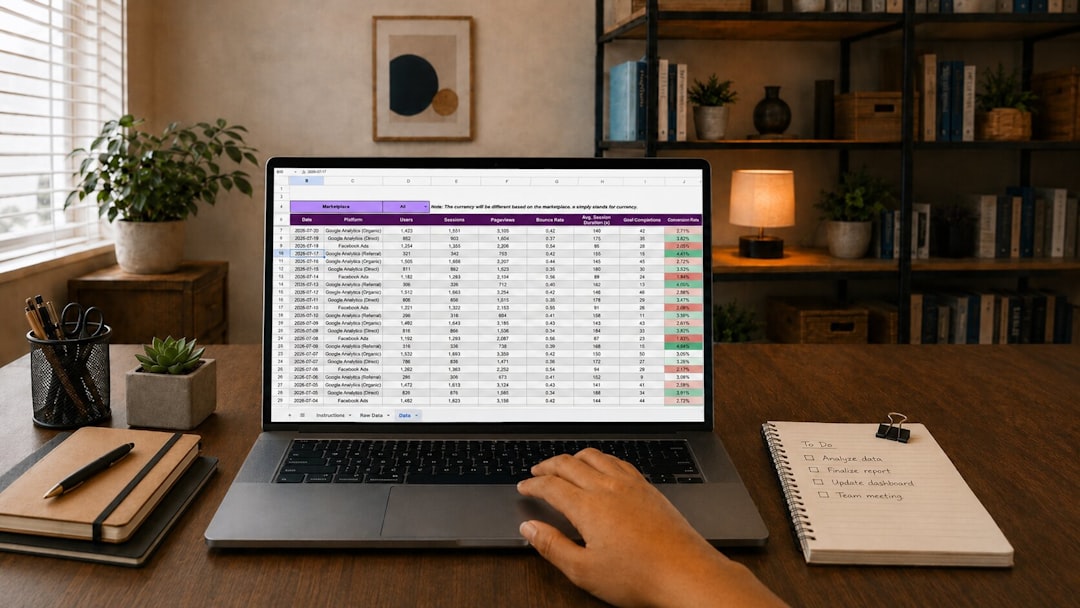
Photo by Gorilla ROI Data Connector on Unsplash Most freelancers don’t need ERP—until they do. Here’s how to know when your accounting software is holding you back.
If you’re selling physical products, managing inventory, or juggling multiple business entities, QuickBooks and Xero will start to feel limiting. ERP systems like NetSuite or SAP Business One aren’t just bigger; they’re built for different challenges. The question isn’t whether you can manage with accounting software—it’s whether you’re wasting time and money doing so.
The 4 Signs You’ve Outgrown Accounting Software
-
You’re selling physical products If you’re tracking inventory in spreadsheets or struggling to sync Shopify orders with QuickBooks, you’re likely losing money. ERP systems handle real-time stock levels, reorder points, and supplier lead times—features accounting software treats as secondary. A freelance candle maker scaling to 50 SKUs will hit limits quickly; an ERP can auto-generate purchase orders when stock dips below a set threshold.
-
You’re running multiple business entities Mixing an LLC and a sole proprietorship in the same QuickBooks file creates tax headaches. ERP systems consolidate financials across entities, track intercompany transactions, and generate unified reports. If you’re manually reconciling transfers between accounts, you’re doing extra work.
-
You’ve hired employees or contractors Payroll in accounting software is a workaround. ERPs integrate payroll with time tracking, benefits, and compliance—no more exporting data to Gusto or ADP. A freelance agency with 5 contractors and a part-time VA will save time by switching.
-
You need reporting that doesn’t exist in QuickBooks Accounting software provides basic P&Ls. ERP offers departmental profitability, project-level margins, and custom dashboards. If you’re a consultant who wants to see which client verticals are most profitable, you’ll need an ERP’s advanced reporting.
Who Can (and Should) Stick with Accounting Software
Service-based freelancers—consultants, designers, writers, coaches—rarely need ERP. If your biggest operational challenge is invoicing clients and tracking mileage, QuickBooks Online or Xero will serve you for years. The moment you add inventory, employees, or multi-entity complexity, the math changes.
The Cost of Waiting Too Long
The break-even point? If workarounds — manual inventory tracking, spreadsheets, extra integrations — are eating real hours every month, an ERP may pay for itself. A freelance ecommerce seller processing 50 orders a day could recoup the cost in a single month by eliminating stockouts and overselling.
Bottom line: Upgrade when your business looks more like a company than a solo gig. Until then, accounting software is the smarter choice.
ERP vs Accounting Software: Feature Comparison Table (2026)
Freelancers don’t need a 500-page manual to pick the right tool—just the facts. Below is a comparison table pitting enterprise ERP systems against freelancer-friendly accounting software, with real pricing, AI features, and key limitations.
| Tool | Key Features | Best For | Limitations |
|---|---|---|---|
| NetSuite | Demand forecasting, multi-entity, global tax compliance, modular ERP | Enterprises, scaling businesses | Steep learning curve, overkill for freelancers |
| SAP Business One | Inventory tracking, CRM, HR, analytics | Mid-sized businesses, manufacturers | Expensive, complex setup |
| Odoo | Modular (inventory, eCommerce, HR), open-source core | Small businesses, tech-savvy freelancers | Fragmented UX, limited support |
| QuickBooks Online | Receipt scanning, invoicing, tax prep, expense categorization | Freelancers, solopreneurs | No inventory, weak multi-entity |
| Xero | Bank reconciliation, payroll, cash flow insights | Freelancers, small businesses | Limited inventory, no HR |
| FreshBooks | Time tracking, project management, invoice reminders | Freelancers, service providers | No inventory, basic reporting |
We have dropped the “free tier” column: what each vendor gives away changes, and several of these quote by sales call rather than by list price. Check the vendor’s own pricing page.
The hard truth? If you’re invoicing clients, tracking expenses, or filing taxes, QuickBooks Online, Xero, or FreshBooks will cover most of your needs—without the ERP sticker shock. An ERP makes sense for a freelancer mainly when you sell physical products and need inventory tracking.
For everyone else? Stick with accounting software. If a tool will not tell you what it costs without a sales call, that is the answer.
Which One Is Right for You? A 30-Second Decision Guide
Freelancers don’t need a 100-page whitepaper to pick the right tool—just a clear rule of thumb. Use accounting software if you’re a solo operator who invoices, tracks expenses, and files taxes. Upgrade to ERP only when your business outgrows those basics.
Stick with accounting software if you:
- Are a solopreneur or freelancer with no employees
- Don’t manage inventory or physical products (e.g., digital services, consulting)
- Need simple invoicing, expense tracking, and tax prep—nothing more
Most freelancers fit this profile. If you’re sending invoices, logging mileage, and dreading tax season, accounting software is all you need. It’s cheaper, faster to set up, and doesn’t require specialized training.
Upgrade to ERP if you:
- Manage inventory or supply chains (e.g., ecommerce, manufacturing, dropshipping)
- Have 10+ employees or multiple business entities (e.g., an LLC + a side hustle)
- Need advanced reporting (e.g., project profitability, departmental budgets, demand forecasting)
ERP systems shine when your business scales beyond a single person. For example, if you’re running a Shopify store with 50 SKUs, tracking inventory manually in spreadsheets risks stockouts.
The one exception: Hybrid freelancers
If you’re a freelancer who also sells physical products (e.g., a designer who dropships merch), you might need a middle ground. But once order volume makes inventory tracking a daily job, it’s worth looking at an ERP.
Final verdict: For most freelancers, accounting software is the smarter choice. ERP is overkill unless you’re running a business with complex needs.
How to Transition from Accounting Software to ERP (Without Losing Data)
Moving from accounting software to an ERP system isn’t just a software upgrade—it’s a business process change. If you mishandle the migration, you could spend weeks fixing duplicate invoices, mismatched inventory counts, or tax filings that don’t reconcile. Here’s how to do it right, step by step.
Step 1: Audit your current accounting software
Before importing data, export every report you can: profit & loss, balance sheet, customer aging, vendor bills, and inventory (if applicable). Then clean the data thoroughly. Delete duplicate contacts, standardize naming conventions (e.g., “Acme Inc” vs “Acme, Inc.”), and reconcile every bank transaction. Most freelancers struggle with ERP migrations because they skip this step. Clean data isn’t optional—it’s the foundation.
Pro tip: Use a tool like QuickBooks Cleanup Report to flag inconsistencies before exporting. If your books are messy, hire a bookkeeper for a one-time audit—it’ll cost less than fixing errors in your new ERP.
Step 2: Pick an ERP with a migration tool
Not all ERPs integrate smoothly with accounting software. Look for built-in importers or third-party connectors. For example: Ask each vendor’s sales or support team three questions before you sign anything: does it import directly from the tool you are on today, does that importer map your chart of accounts or only your contacts, and does historical data come across or only opening balances. The answers change release by release, so a list published today would be wrong by the time you read it.
Avoid ERPs that require manual data entry—you’ll waste hours (or days) rekeying transactions.
Step 3: Test in a sandbox first
Never go live without testing. Most ERPs offer a sandbox environment (a replica of your live system) where you can:
- Import a subset of data (e.g., last quarter’s transactions).
- Run reports and compare them to your old software.
- Train yourself (or your team) without risking real data.
If the ERP doesn’t provide a sandbox, use a free trial as one. A 30-day trial isn’t just for evaluation—it’s your dress rehearsal.
Step 4: Train your team (or yourself)
ERP systems are more complex than accounting software. You’ll need to learn:
- How to navigate the dashboard (e.g., Odoo’s modular interface vs. QuickBooks’ linear flow).
- Where to find reports (e.g., NetSuite buries some under “Analytics” > “Financial Reports”).
- How to handle multi-step workflows (e.g., purchase orders → receipts → vendor bills).
Set aside at least 10 hours for training. Record screencasts or use the ERP’s built-in tutorials—don’t assume you’ll “figure it out” on the fly.
Step 5: Run parallel systems for 1–2 months
Even with clean data and testing, things can go wrong. For the first 4–8 weeks:
- Enter all new transactions in both your old accounting software and the ERP.
- Compare monthly reports (P&L, balance sheet) for discrepancies.
- Fix errors immediately—don’t let them pile up.
Frequently Asked Questions
Is QuickBooks an ERP system? No—it’s accounting software. QuickBooks is designed for invoicing, expense tracking, and tax filing, not enterprise resource planning.
Can freelancers use ERP software? Yes, but most don’t need to. ERP systems are built for complex businesses with multiple departments, like inventory management and HR. Freelancers typically use accounting software for simplicity.
What’s the cheapest ERP for small businesses?
How much does ERP implementation cost?
Can I use accounting software for inventory management? Yes, but it’s not ideal. Accounting software can track basic inventory, but ERP systems offer advanced features like demand forecasting and automated reordering. If you only have a few products, accounting software might work; otherwise, consider an ERP or dedicated inventory tool.
Final Verdict: ERP vs Accounting Software for Freelancers
For most freelancers, accounting software is the better choice: cheaper, easier to use, and tailored to solopreneurs. Upgrade to ERP only if you’re scaling beyond freelancing—e.g., hiring employees, managing inventory, or consolidating multiple businesses.
Start with a free trial of QuickBooks Online or Xero before committing to ERP’s steep costs and complexity. These tools offer the right balance of features and affordability for most freelancers.
Keep reading
Keep exploring the topic with these related guides:
- 7 Best AI-Powered Sole Trader Accounting Software (2026)
- Best Accounting Software for Independent Contractors
Next step: Our $37 guide collects the setup, the categorization rules and the weekly check in one document. see what’s in the guide