
Mastering Expense Tracking with AI: A Step-by-Step Guide
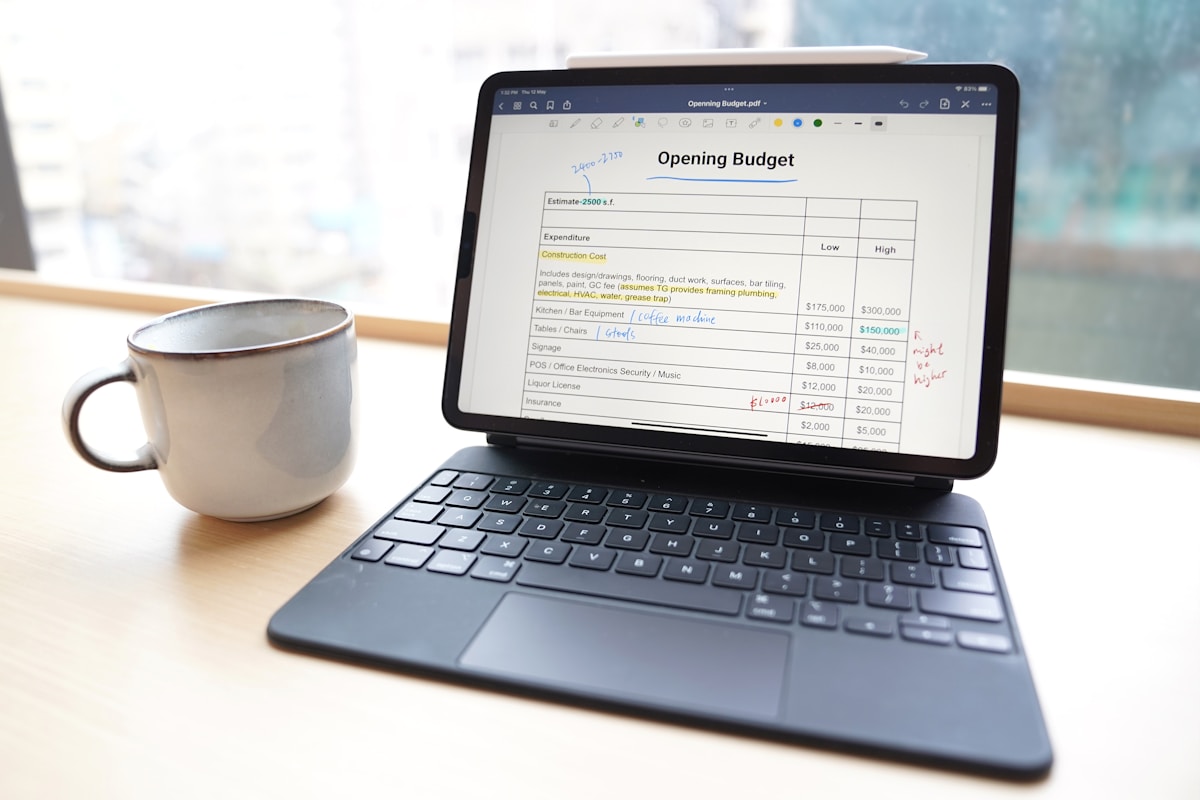
Photo by GoodNotes 5 on Unsplash
Introduction to AI-Powered Expense Tracking
Accurate expense tracking is crucial for freelancers, as it can make or break their business. With the rise of AI-powered bookkeeping tools, freelancers can now streamline their expense tracking processes. Tools like QuickBooks and Xero are leading the charge, offering AI-driven features that can automatically categorize expenses, detect duplicates, and even predict future expenses.
For instance, freelancers can save a significant amount of money by using AI-powered expense tracking tools to identify and eliminate unnecessary expenses. This can be reinvested in the business or used to pay taxes. In this tutorial, we’ll explore the benefits of AI-powered expense tracking and provide a step-by-step guide on how to use these tools to take your freelance business to the next level.
Part of our complete guide: for the full picture, see AI Accounting Certification: How to Choose One (2026 Guide).
Part of our complete guide: for the full picture, see Xero Bookkeeping Software Reviews: 5 Expert Insights.
Key Takeaways
Here are the key takeaways from this guide:
- AI-powered expense tracking can save freelancers time and reduce errors
- Machine learning capabilities are a must for AI expense tracking tools
- Automated categorization and integration with accounting software are crucial features
- Customization is key to getting the most out of AI expense tracking tools
- AI-generated insights can be used for financial planning and optimization
Preparing Your Expense Data for AI Processing
To get the most out of AI-powered expense tracking, you need to prepare your expense data. Standardizing expense categories is crucial. For instance, if you’re using different categories for similar expenses, your AI tool will get confused. Standardizing categories can increase expense tracking accuracy.
You should also digitize your receipts and invoices. This can be done using a scanner or a mobile app like Shoeboxed or Expensify. Digitizing receipts saves time - time that can be spent on more important tasks. Once your receipts are digitized, you can upload them to your AI expense tracking tool. Most tools accept common data formats like CSV, PDF, or JPEG.
When digitizing your receipts, make sure to include all the necessary information, such as date, amount, and category. This will help your AI tool accurately track your expenses and provide you with valuable insights. Ever wondered why some AI tools can’t read certain receipts? It’s usually because the receipt is missing vital information or is not in a compatible format.
Choosing the Right AI Expense Tracking Tool
For choosing the right AI expense tracking tool, there are several key features to look for. Machine learning capabilities are a must - they enable the tool to learn from your expense data and improve its accuracy over time. For example, Expensify uses machine learning to automatically categorize expenses and detect potential errors.
Automated categorization is another crucial feature. It saves you time and reduces the risk of human error. Many AI-powered expense tracking tools can automatically categorize expenses with high accuracy.
Integration with accounting software is also vital. You want to be able to seamlessly export your expense data to your accounting software, such as Xero or FreshBooks. This ensures that your financial records are always up-to-date and accurate.
Cost is also an important consideration. Fortunately, many AI expense tracking tools offer affordable pricing plans, such as Zoho Expense, which starts at a low monthly rate.
In short, when choosing an AI expense tracking tool, look for machine learning capabilities, automated categorization, and integration with accounting software. With the right tool, you can streamline your expense tracking process and focus on growing your freelance business.
Implementing AI for Expense Tracking: A Step-by-Step Guide
Setting up an AI tool account is relatively straightforward. Most tools, like Expensify or Zoho Expense, offer a free trial or a basic plan that’s perfect for freelancers. Once you’ve chosen your tool, head to their website and sign up. You’ll typically need to provide some basic information, such as your name, email address, and password.
Configuring automated expense tracking is where things get really interesting. Many AI tools can automatically extract expense data from receipts and invoices, and even categorize them for you. To set this up, you’ll need to connect your bank account or credit card to the AI tool. This will allow the tool to automatically import your transactions and start tracking your expenses.
For example, if you’re using QuickBooks, you can connect your bank account in just a few clicks. Ever wondered why some AI tools are better at expense tracking than others? It all comes down to their algorithms. FreshBooks, for instance, uses a sophisticated algorithm that can learn your expense tracking habits over time and make more accurate predictions.
When reviewing and correcting AI-generated expense reports, it’s essential to keep an eye out for any errors or discrepancies. Ask yourself: Are all my expenses accounted for? Are there any duplicate transactions?
Sounds great, but what about security? Cybercrime is a significant concern for freelancers, and it’s crucial to choose an AI tool that takes security seriously. Look for tools that offer two-factor authentication, encryption, and regular backups.
Optimizing AI Expense Tracking for Your Freelance Business
To get the most out of AI expense tracking, you need to customize the tool settings for your specific business needs. This means taking the time to understand the various categories and tags available in your chosen AI tool - such as Expensify or Zoho Expense - and setting them up to accurately reflect your business expenses.
For example, if you’re a freelance writer, you may want to create separate categories for research expenses, travel expenses, and equipment expenses. By doing so, you’ll be able to generate detailed reports and gain valuable insights into your spending habits.
Customization is key. Ever wondered why some freelancers seem to have a handle on their expenses while others are constantly struggling? It often comes down to how well they’ve tailored their AI tool to their specific needs. Getting the categories right up front is what makes the rest of the tool useful.
Using AI-Generated Insights for Financial Planning
Using AI-generated insights for financial planning is a big deal for freelancers. With the ability to analyze your expense data and identify trends, you can make informed decisions about your business. For instance, you may discover that you’re spending more on travel expenses than you anticipated, and adjust your budget accordingly.
Or, you may find that you’re eligible for certain tax deductions that you weren’t aware of. By leveraging AI-generated insights, you can optimize your financial planning and make the most of your hard-earned money. Sounds great, but - it does require some upfront work to set up and customize your AI tool. The benefits of AI expense tracking tools far outweigh the costs.
Common Challenges and Solutions in AI Expense Tracking
Even with the best AI expense tracking tools, like Expensify or Zoho Expense, categorization errors can occur. Ever wondered why your AI tool misclassifies a receipt as a client meeting expense? It’s often due to incomplete or inaccurate training data.
The AI Bookkeeping System for Freelancers Who Hate Spreadsheets — Our $37 guide puts the whole setup in one place: which accounts to connect, how to write categorization rules, and the weekly check that keeps the numbers trustworthy. It is a guide, not an app. preview the contents of the bookkeeping guide
To resolve this, review your receipts regularly and correct any misclassifications. This “human-in-the-loop” approach helps improve the tool’s machine learning algorithms over time.
Handling receipt recognition issues is another common challenge. For instance, if your AI tool struggles to extract data from a receipt with a complex layout or faint ink, try using a receipt scanning app like Shoeboxed to enhance the image quality. This can significantly improve the accuracy of your expense tracking.
Sounds great, but what about receipts with multiple pages or attachments? In such cases, it’s essential to ensure your AI tool can handle these formats.
Conclusion: Streamlining Your Freelance Bookkeeping with AI Expense Tracking
By adopting AI for expense tracking, freelancers can save time and reduce errors. With tools like Expensify or Zoho Expense, you can automate expense reporting and focus on your business.
As we’ve seen, AI-powered expense tracking is a game-changer for freelancers. By following the steps outlined in this guide, you can streamline your expense tracking process and take your business to the next level. Remember to choose the right AI expense tracking tool, customize it to your needs, and use AI-generated insights to inform your financial planning.
With the right AI tool and a little practice, you’ll be a pro at expense tracking in no time - and that’s a promise. So, take the time to explore your options, and don’t hesitate to reach out to customer support if you need help along the way. Happy tracking!
In 2026, the use of AI-powered expense tracking tools is expected to continue growing, with more freelancers and small businesses adopting these tools to streamline their expense tracking processes. As the technology continues to evolve, we can expect to see even more advanced features and capabilities, such as automated receipt scanning and predictive analytics.
By staying ahead of the curve and embracing AI-powered expense tracking, freelancers can stay competitive and focused on what really matters - growing their business and achieving their goals. Whether you’re a seasoned freelancer or just starting out, AI-powered expense tracking is an essential tool to have in your toolkit. So, what are you waiting for? Start streamlining your expense tracking today and take your business to the next level!
In addition to the benefits mentioned earlier, AI-powered expense tracking can also help freelancers to:
- Track income and set budgets
- Hit savings goals and stay in control of their finances
- Stay organized and focused on their business
- Make informed decisions about their business and finances
By using AI-powered expense tracking tools, freelancers can gain a better understanding of their finances and make more informed decisions about their business. This can lead to increased productivity, reduced stress, and a better overall quality of life.
AI-powered expense tracking earns its place by cutting the manual entry, reducing errors, and surfacing where the money actually goes. By choosing the right AI expense tracking tool, customizing it to their needs, and using AI-generated insights to inform their financial planning, freelancers can take their business to the next level and achieve their goals.
With the rise of AI-powered bookkeeping tools, freelancers can now automate many of the tasks associated with expense tracking, such as data entry and categorization. This can save time and reduce the risk of human error, allowing freelancers to focus on more important tasks, such as growing their business and serving their clients.
In addition to AI-powered expense tracking, there are many other tools and technologies that freelancers can use to streamline their business and achieve their goals. For example, project management tools can help freelancers to stay organized and focused, while time tracking tools can help them to track their hours and stay productive.
By using these tools and technologies, freelancers can gain a competitive edge and achieve their goals. Whether you’re a seasoned freelancer or just starting out, it’s essential to stay ahead of the curve and adapt to new technologies and trends.
In the future, we can expect to see even more advanced AI-powered expense tracking tools and technologies, such as automated receipt scanning and predictive analytics. These tools will enable freelancers to streamline their expense tracking processes even further, and gain even more valuable insights into their finances.
As the freelance industry continues to grow and evolve, it’s essential for freelancers to stay ahead of the curve and adapt to new technologies and trends. By using AI-powered expense tracking tools and other technologies, freelancers can stay competitive, focused, and productive, and achieve their goals.
In 2026, the freelance industry is expected to continue growing, with more people turning to freelancing as a way to earn a living. As the industry grows, we can expect to see more AI-powered expense tracking tools and technologies emerge, designed to help freelancers to streamline their business and achieve their goals.
By staying ahead of the curve and adapting to new technologies and trends, freelancers can gain a competitive edge and achieve their goals. Whether you’re a seasoned freelancer or just starting out, it’s essential to stay focused, productive, and organized, and to use the latest tools and technologies to streamline your business.
By following the steps outlined in this guide, freelancers can streamline their expense tracking processes and take their business to the next level. Remember to choose the right AI expense tracking tool, customize it to your needs, and use AI-generated insights to inform your financial planning.
Keep reading
Want to go deeper? Read our guide on Mastering Budgeting as a Freelancer: A Step-by-Step Guide.
Next step: If you want the whole setup written out in order, the guide is $37 with instant access. read the guide’s table of contents