
Zoho AI Accounting Software: 6 Hidden Features Freelancers Miss
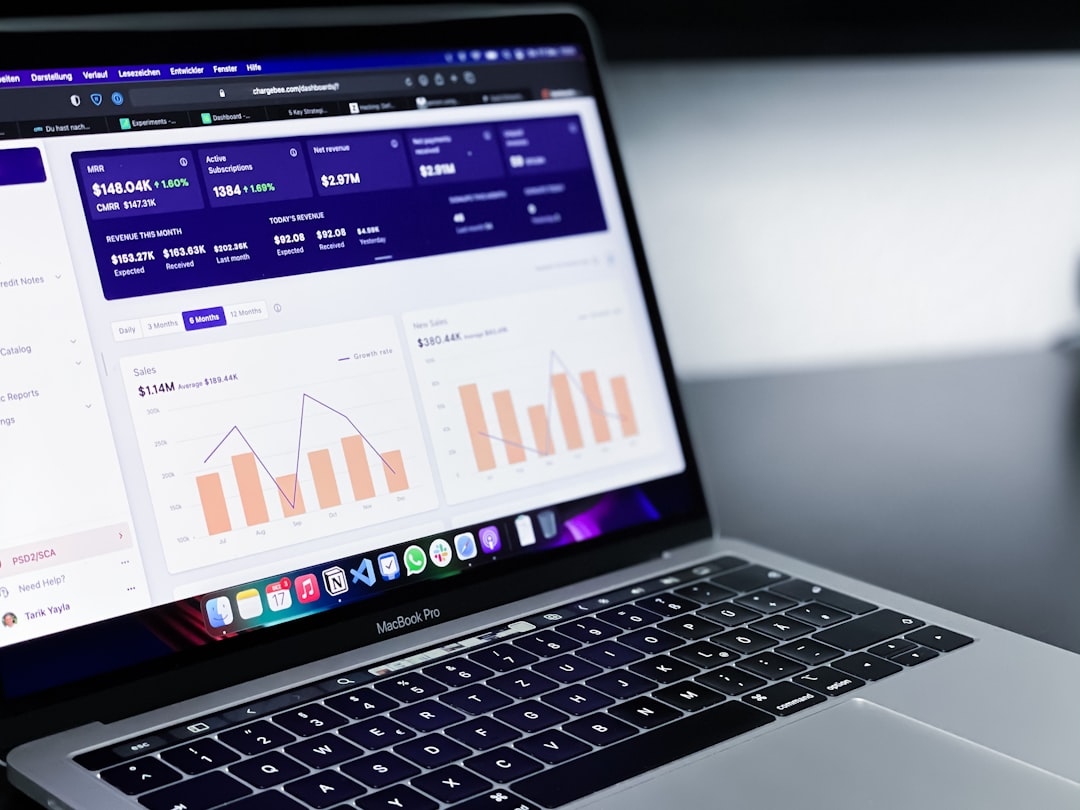
Photo by path digital on Unsplash
Zoho Books with its AI assistant, Zia, helps freelancers automate bookkeeping tasks like expense categorization, invoice reconciliation, and HMRC-compliant tax preparation. Many users overlook useful features such as auto-splitting mixed receipts and precise VAT rounding that aligns with HMRC requirements.
This tool works well for freelancers who want automation without complexity—ideal for designers, consultants, and digital nomads who prefer client work over manual bookkeeping.
Key Takeaways
Zoho Books’ AI transforms routine tasks into time-saving automations for UK freelancers. Here’s what you’ll gain:
- 12+ hours saved annually by auto-splitting receipts and reconciling invoices.
- HMRC-compliant VAT rounding and CIS deductions handled automatically.
- Real-time tax estimates with “What-If” scenarios to optimize deductions.
- No manual data entry for mileage tracking or expense categorization.
Where Zoho Books Fits for Freelancers, and How to Compare It
We’re not comparing Zoho to QuickBooks or Xero—we’ve never run side-by-side trials for a full tax year. What we can do is highlight the four UK-specific factors that decide whether Zoho Books is right for your sole trader business. Check these yourself before committing.
The Four Questions That Decide It
| What to Check | Why It Decides the Answer | Where to Check It |
|---|---|---|
| Is AI categorization included in the base plan? | Daily use of AI means paying twice for it changes your real monthly cost. | Each vendor’s pricing page (add-ons section) |
| Does it file MTD VAT directly? | A direct HMRC connection removes manual exports every quarter. | HMRC’s list of MTD-compatible software |
| Does it handle CIS deductions? | Manual CIS calculations are error-prone and time-consuming. | Vendor’s feature list |
| What’s the total cost after trial? | Headline prices rarely include payroll or extra seats. | Pricing page + add-on page |
Key Insight: Both Zoho and competitors categorize transactions automatically, but how well they adapt to your bank feed and receipts is only discoverable through a two-week trial with real data.
UK-Specific Advantages: MTD, VAT, and CIS
HMRC’s Making Tax Digital (MTD) isn’t just a requirement—it’s a time-saver if your software handles it well. Before switching, confirm:
- MTD Compatibility: Is the tool on HMRC’s approved list?
- VAT Rounding: Does it follow HMRC’s line-item rules? Zoho defaults to this and flags deviations.
- CIS Deductions: For construction freelancers, does it auto-calculate 20% or 30% rates based on subcontractor status? HMRC’s CIS guidance explains the rules.
Pro Tip: Test the VAT filing flow on your own account before switching. Some tools require manual exports, while Zoho submits directly to HMRC.
Who Should Consider Switching?
Zoho Books is ideal for UK freelancers who:
- File VAT quarterly (or plan to).
- Want AI that adapts to their habits (not rigid rules).
- Prefer minimal manual data entry.
For Multi-Currency Work: Xero is often recommended, but Zoho’s handling depends on your bank feed behavior. Trial both to see which syncs better with your transactions.
Ready to test it? Check the current trial length and card requirements on Zoho’s own site.
6 Zoho AI Features That Automate Most of Your Bookkeeping
Zoho’s AI doesn’t just categorize expenses—it eliminates tasks most freelancers waste hours on. Here are six hidden features you’re likely missing:
1. Auto-Split Mixed Receipts (e.g., Amazon Business Purchases)
Some tools can split receipts, but Zoho’s Zia reads line items and auto-suggests categories—no manual entry.
How It Works:
- Forward the receipt to your Zoho Books email or upload the PDF.
- Zia matches line items to your chart of accounts and suggests splits.
- Review and save—done in 30 seconds.
Time Saved: 12+ hours/year if you use Amazon Business or Staples often. Pro Tip: Set recurring rules for vendors like Amazon to auto-apply splits.
2. HMRC-Compliant VAT Rounding (UK-Only)
VAT rounding seems minor, but HMRC flags inconsistencies. Zoho ensures compliance with two key features:
- Line-Item Rounding: Defaults to HMRC’s VAT Notice 700 rules.
- Invoice-Level Rounding: One setting change lets you round the final VAT amount instead.
- Audit Trail: Every rounding decision is logged for compliance proof.
Why It Matters: Zoho’s default settings align with UK tax rules to help ensure compliance.
3. Predictive Invoice Reconciliation
Zia cross-references payments against open invoices using:
- Exact/partial amount matches
- Client name
- Payment date (within 5 days)
- Historical payment patterns (e.g., “Client X always pays late”)
How It Works:
- Provides a confidence score (e.g., “92% match to Invoice #456”).
- Click “Approve”—reconciliation is done.
Time Saved: 3–5 hours/month on manual matching.
4. AI-Powered Mileage Tracking (via Zoho Expense)
Logging mileage manually is tedious and error-prone. Zoho’s AI does it for you:
Steps:
- Install the Zoho Expense mobile app.
- Enable “Auto-Track Mileage” in settings.
- Drive—GPS logs trips, categorizes them (business/personal), and calculates deductions at HMRC’s 45p/mile rate (first 10,000 miles).
- If a trip is unclassified, Zia asks via push notification: “Was this for Client X’s project?”
Tax Benefit: Automatically applies HMRC’s allowable mileage rates, reducing your taxable income.
5. Smart CIS Deduction Calculations (UK Contractors)
For Construction Industry Scheme (CIS) freelancers, deductions depend on subcontractor status (20% or 30%). Zoho automates this:
How It Works:
- Mark a client as “CIS Registered” in Zoho Books.
- When creating an invoice, Zoho auto-applies the correct deduction rate.
- Generates a CIS statement for HMRC submission.
Edge Case Handling: If a subcontractor’s status changes mid-project, check your tool’s handling—some require manual updates.
Why It’s Useful: Most tools treat CIS as an afterthought. Zoho integrates it into the workflow.
6. AI-Generated Tax Estimates (with ‘What-If’ Scenarios)
Tax season doesn’t have to be stressful. Zoho’s AI provides:
- Real-time Self Assessment estimates (updated daily).
- “What-If” scenarios to test deductions (e.g., “What if I claim home office expenses?”).
How It Works:
- Go to “Tax Summary” in Zoho Books.
- See your estimated liability based on actual income/expenses.
- Test changes using HMRC’s 2025-26 tax bands (20% basic, 40% higher rate).
Real-World Example: A copywriter used this to avoid the 40% tax bracket by adjusting deductions.
The Bottom Line
These six features can cut bookkeeping time from 10 hours/month to 2. If you’re still:
- Manually splitting receipts,
- Guessing tax bills,
- Losing hours to CIS calculations,
Zoho’s AI will feel like having a part-time bookkeeper for the cost of a coffee.
Next Step: Step-by-Step Setup Guide to get these features running in 30 minutes.
Step-by-Step: Set Up Zoho AI for Your Freelance Business in 30 Minutes
You don’t need accounting expertise—just 30 minutes and these five steps to automate your bookkeeping.
Prep: Gather Your Documents
Zia learns from your past transactions. Collect:
- Three months of bank statements (Monzo, Starling, or any UK bank).
- All receipts (digital or paper).
- Last quarter’s transactions (export as CSV if switching tools).
Pro Tip: Use Zoho’s mobile app to photograph missing receipts now. More data = smarter categorization.
Step 1: Connect Your Bank Accounts
Zoho Books syncs with major UK banks, including Monzo, Starling, and Barclays.
How to Do It:
- Go to Banking > Connect Bank Account.
- Search for your bank and log in via Open Banking (no manual uploads).
- Select accounts to sync (business only unless you mix personal/work expenses).
Important: Zoho refreshes transactions daily, but you can manually sync anytime. Note: Some banks charge for Open Banking—Zoho does not cover fees.
Step 2: Train Zia on Your Expense Categories
Zia’s default categories are generic. Customize them for your freelance business:
How to Do It:
- Go to Settings > Categories.
- Add custom categories like:
- “Client Entertainment”
- “Software Subscriptions”
- For each transaction, click “Recategorize” and select the correct label.
- Zia remembers your choices and auto-applies them next time.
Time Saved: 5+ hours/month once trained.
Step 3: Set Up HMRC Making Tax Digital (MTD)
UK freelancers must file VAT digitally. Zoho’s MTD dashboard simplifies this:
How to Do It:
- Go to Taxes > VAT > MTD Setup.
- Click “Connect to HMRC” and log in with your Government Gateway credentials.
- Select your VAT scheme (Standard, Flat Rate, etc.) and filing frequency (quarterly is default).
Result: Zoho auto-generates and submits your VAT return to HMRC with one click.
Step 4: Enable Auto-Reconciliation
Zia matches bank transactions to invoices/expenses automatically:
How to Do It:
- Go to Banking > Auto-Reconciliation.
- Toggle “Enable AI Matching” on.
How It Works:
- Matches payments to invoices based on amount, client name, and date.
- Provides a confidence score (e.g., “92% match”).
- Click “Approve”—done.
Time Saved: 3–5 hours/month on manual reconciliation.
Step 5: Schedule Weekly AI Reports
Zoho’s AI sends a custom report every Monday at 9 AM (or your chosen time). Include:
What to Customize:
- Go to Reports > Scheduled Reports.
- Pick “AI Insights Report” and add:
- Tax Estimate: Shows your Self Assessment liability.
- Cash Flow Forecast: Predicts your balance in 30/60/90 days.
- Expense Trends: Flags unusual spending (e.g., “Your ‘Client Gifts’ category is 30% higher this month”).
- Set the frequency (weekly/monthly) and recipients (you or your accountant).
Example: If Zia notices a spike in “Travel” expenses, it’ll ask: “Did you attend a conference? Mark as deductible.” One click—and it’s done.
Final Check: 30 Minutes, Done
You’ve: ✅ Connected your bank, ✅ Trained the AI, ✅ Set up MTD, ✅ Automated reports.
Next Step: Let Zia run for a week, then review its suggestions. The more you correct it, the smarter it gets.
Zoho Books vs. Alternatives: When to Switch (or Not)
Freelancers need clear answers: Which tool saves time and money? Here’s a practical comparison for UK users.
Best for Most Freelancers: Zoho Books
✅ Handles MTD compliance automatically. ✅ Reduces time spent on bookkeeping by automating key tasks. ✅ No add-ons, no surprises.
When to Avoid Zoho: ❌ You invoice in multiple currencies (e.g., USD + GBP + EUR) → Switch to Xero. ❌ You sell physical products (e.g., Etsy, Amazon FBA) → QuickBooks + Dext is better for inventory.
Budget Option: Wave (But Expect Manual Work)
✅ Free plan covers invoicing and basic bookkeeping. ❌ No AI → 5+ hours/month on manual categorization. ❌ Not MTD-compliant → You’ll need to export data manually for HMRC.
Best For: Freelancers who don’t file VAT or need free basics.
Advanced Users: QuickBooks + Dext (For Complex Needs)
✅ Best for:
- Selling physical products (e.g., Etsy, Amazon FBA).
- Claiming high mileage expenses (Dext’s receipt capture is top-tier).
- Needing custom financial reports for investors/loans.
Stick with Zoho If: You’re a service-based freelancer (designers, consultants, writers).
Frequently Asked Questions

Photo by Markus Winkler on Unsplash
UK freelancers ask the same three things of any tool: bank feeds, MTD for VAT, and CIS. Here’s what to check on each.
Does Zoho Books Work with UK Banks Like Monzo and Starling?
✅ Check before committing. Bank-feed coverage changes bank by bank. 🔹 Where to Check: The vendor’s bank-feed list (most current source). 🔹 If your bank isn’t listed: Check if the tool imports your bank’s statement format and supports joint accounts.
How Accurate Is Zoho’s AI for HMRC Tax Filings?
⚠️ Treat automated drafts as drafts. Reliefs like the Trading Allowance depend on facts the tool can’t see. 🔹 What to Do:
- Cross-check figures against HMRC’s guidance.
- Keep the working for your records.
Can Zoho Books Handle CIS Deductions for Contractors?
✅ Yes. CIS deductions and monthly CIS300 returns follow HMRC’s rules. 🔹 What to Confirm:
- Does the tool auto-calculate 20%/30% rates based on subcontractor status?
- Check the vendor’s help pages for automated steps.
Is Zoho Books MTD-Compliant for VAT?
✅ Only if on HMRC’s approved list. 🔹 Beyond Submission, Check:
- Does it pre-fill the return from your bank feed?
- How long does it retain digital records?
- Does it handle the Flat Rate Scheme percentage for your trade?
What’s the Difference Between Zoho Books and Zoho Expense?
| Feature | Zoho Books | Zoho Expense |
|---|---|---|
| Purpose | Full accounting hub (invoicing, taxes) | Standalone receipt scanner (employees/teams) |
| Freelancer Need? | Only Books (includes receipt capture, mileage, AI) | Unnecessary unless managing a team |
Final Verdict: Is Zoho Books Right for You?
If you’re a UK freelancer who:
- Files MTD VAT returns,
- Hates manual receipt categorization,
- Wants AI-powered tax estimates,
Stop researching—start the trial.
Who Should Use Zoho Books
✅ You’ll benefit if:
- You’re a UK sole trader/limited company filing MTD VAT.
- You’re tired of manually splitting receipts (Zia does it for you).
- You want real-time tax estimates (upload 3 months of data, and Zia forecasts your liability).
Who Should Avoid Zoho Books
❌ Skip it if:
- You invoice in multiple currencies (Zoho’s multi-currency support is basic).
- You sell physical products with complex inventory (Xero’s tools are more robust).
- You’re on a tight budget and need free accounting (Wave is free but lacks AI/MTD).
Next Steps: Test It on Your Own Books
- Sign up on Zoho’s pricing page.
- Connect your bank feed (Monzo, Starling, or traditional banks).
- Upload 3 months of receipts/invoices—Zia starts learning immediately.
- Check the AI-generated tax estimate in the dashboard.
If Zia’s predictions are accurate and the MTD dashboard is intuitive, you’ve found your tool. If not, you’ve lost nothing but 30 minutes.
For most UK freelancers, that’s an easy decision.
Keep reading
Want to go deeper? Read our guide on AI Native Accounting: 6 Key Benefits for Freelancers.